Show a birthday celebration on a contact's screen, only on the day
Give a contact a decoration, add their birthday, and CallPalette shows a small celebration on that contact's screen on the day. Notifications are a separate setting.
Steps
Turn on Use CallPalette in the app's Settings first if it is off.
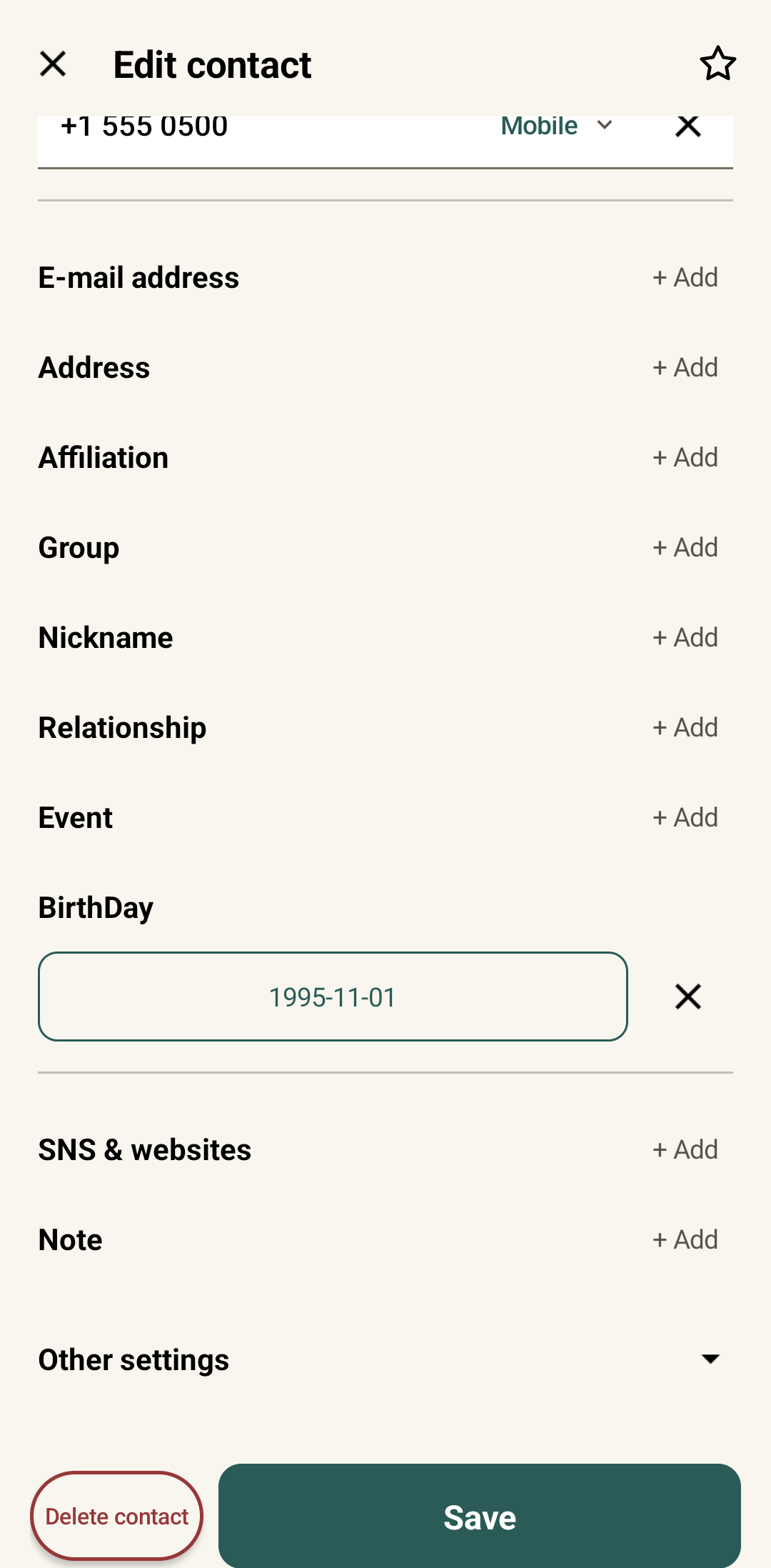
Add the birthday
Open the contact, tap the ⋮ menu, choose Contact information and fill in the BirthDay field. The year is optional.
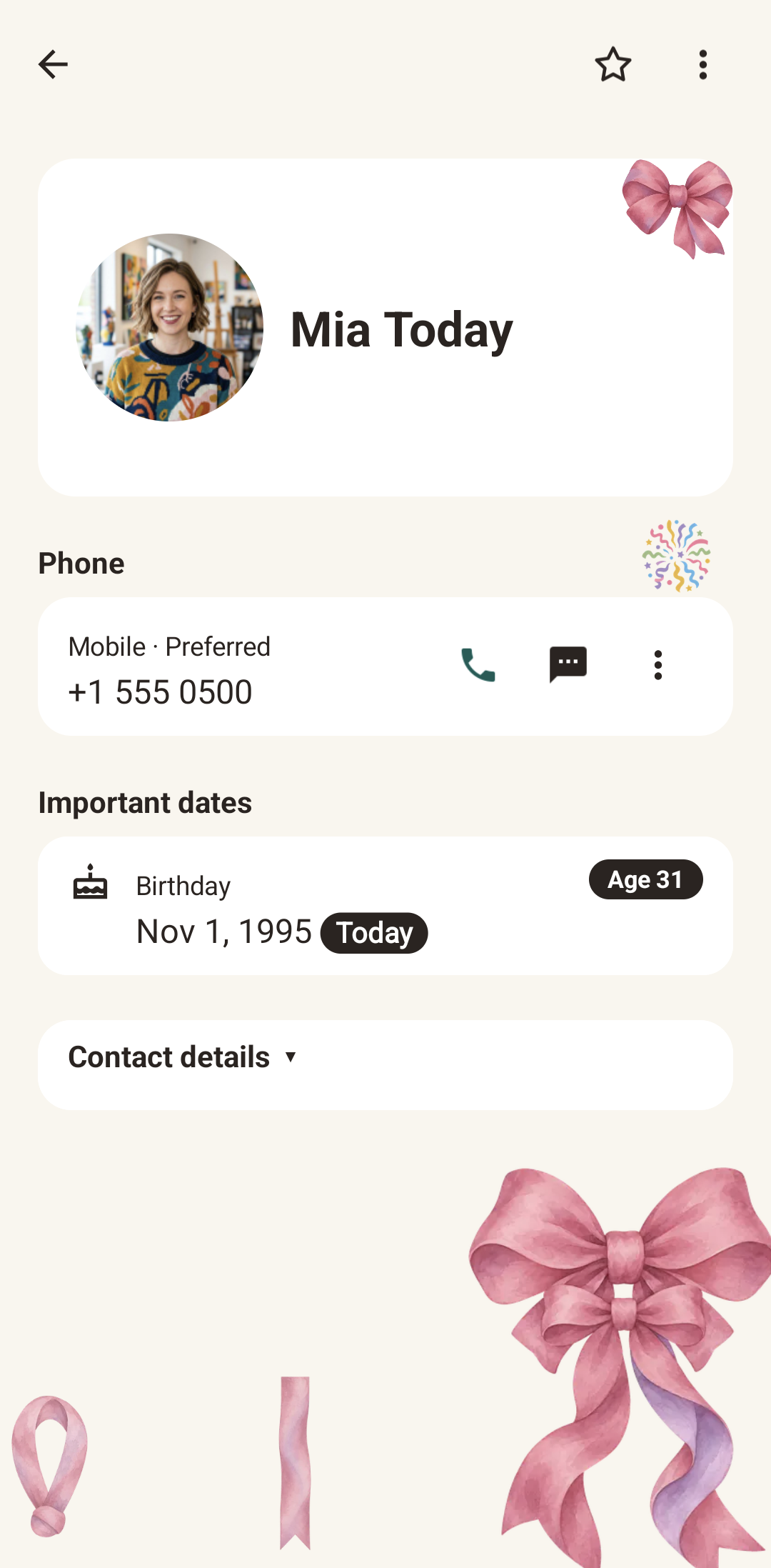
Open the contact on the day
On the birthday, open the contact. A small celebration appears on their screen: confetti, or a cake if the birthday has no year. It is not shown the day before or after, and only for contacts that have a decoration; a contact without one just shows a Today badge.
Real Android screens using a test contact.
A few things to know.
Is this a birthday reminder?
No. The decoration itself does not send a notification. To get a heads-up, turn on Important dates notification in Settings and CallPalette notifies you the day before and on the day. The small celebration appears on the contact's screen on the day itself.
Does the birthday need a year?
No. A birthday without a year works too; the picture shown is a cake.
Which contacts get the celebration?
Contacts that have a decoration applied. A contact without a decoration only shows a Today badge on the day.
Does it appear the day before or after?
No. It appears on the birthday only.
Does it work offline?
Yes. The celebration images are included in the app.
More guides: birthday reminders · save a Google Maps place · all guides
CALLPALETTE
Your people.
Your palette.
A familiar face, a favourite shade, and the days you want to remember.
Get it on Google Play