HOW TO
Set up birthday reminders for your contacts
Add a birthday to a contact, see it on a monthly calendar, and turn on reminders for the day before and the day itself.
Steps
Turn on Use CallPalette in the app's Settings first if it is off.
- Open the contact and tap Edit.
- Tap Add birthday and choose the date. The year is optional.
- Save the contact.
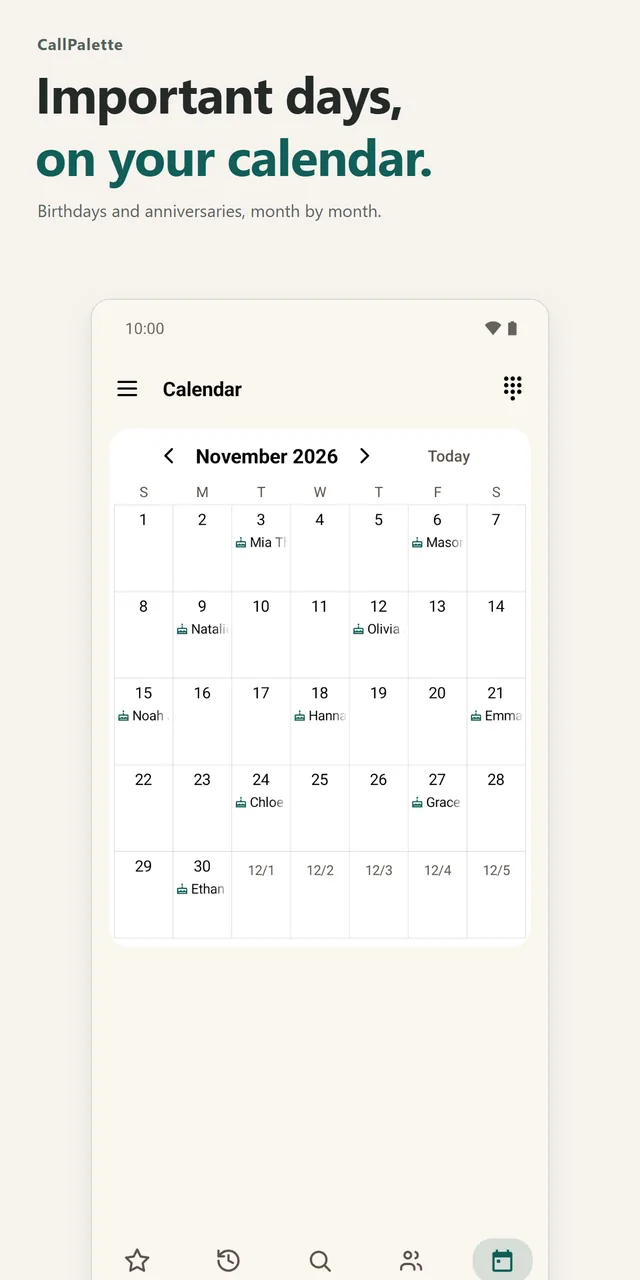
- Open the Calendar tab in the bottom bar to see birthdays and anniversaries by month.
- To get reminders, turn on Important dates notification in Settings and allow notifications. You can also choose the time.
Once it is on, CallPalette reminds you the day before and on the day. On the birthday, a cake or confetti appears on the contact's detail screen.
GOOD TO KNOW
A few things to know.
Can I add anniversaries too?
Yes. Birthdays and anniversaries both appear on the monthly calendar.
Can I see events from my phone's calendar?
If you choose, events from your device calendar appear too. Calendar access is optional and is used only to show the events you pick.
Do I need to know the birth year?
No. You can add a birthday without a year; the reminder and the cake still appear on the day.
More guides: save a Google Maps place · organizing contacts with groups · all guides