What CallPalette does
An Android contacts app that makes each contact feel like the person, and keeps the things you want to remember next to the number.
Decorate photos. Pick from 30 colors.
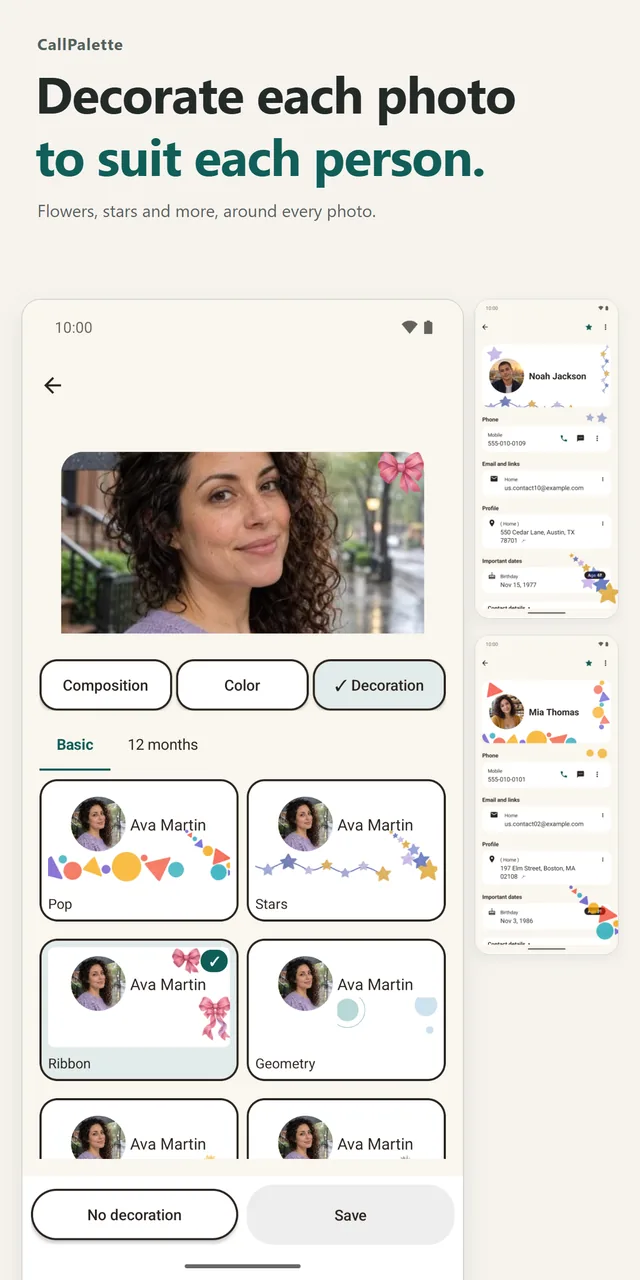
Layer seasonal flowers, stars, dots, lines and other decorations around a photo. Open a contact's menu, choose Customize appearance, then pick Decoration. The Basic and 12 months tabs hold the sets, and you can try one before you save it.
Choose from 30 color themes, from bright shades to calm dark ones. Color settings let you try a theme first and apply it only if you like it.
Find the person in seconds.
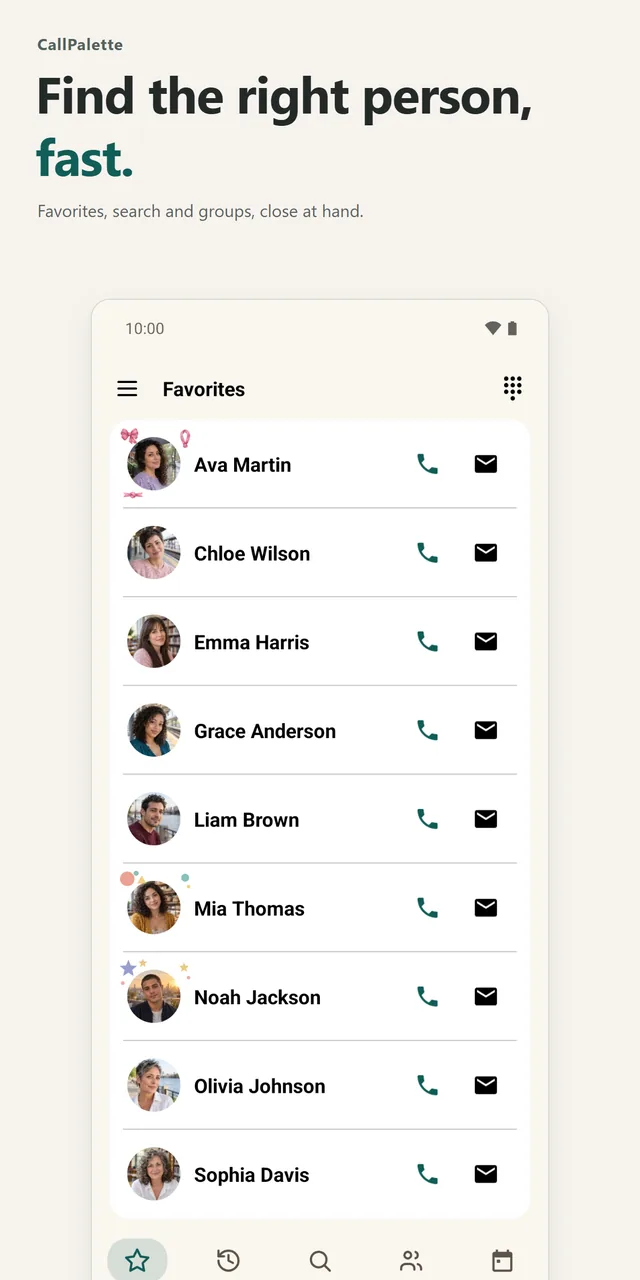
Favorites, History, Search, Groups and Calendar sit in a bottom bar, so the people you contact most are one tap away. Create, edit and reorder groups, and bulk-add contacts to a group.
Save the places you want to go.
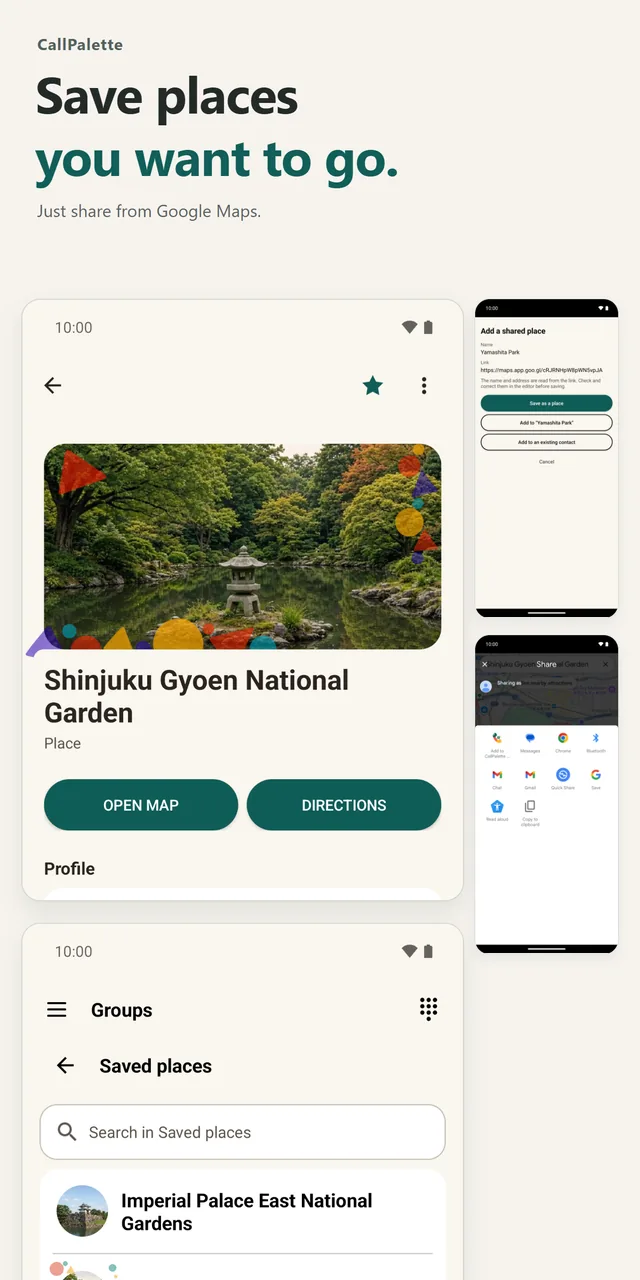
Keep favorite shops, places you want to visit and memorable spots. Share from Google Maps and a new contact opens with the name and link filled in. Open the map or get directions from the contact, and find every saved place in the Saved places group.
Never miss the days that matter.
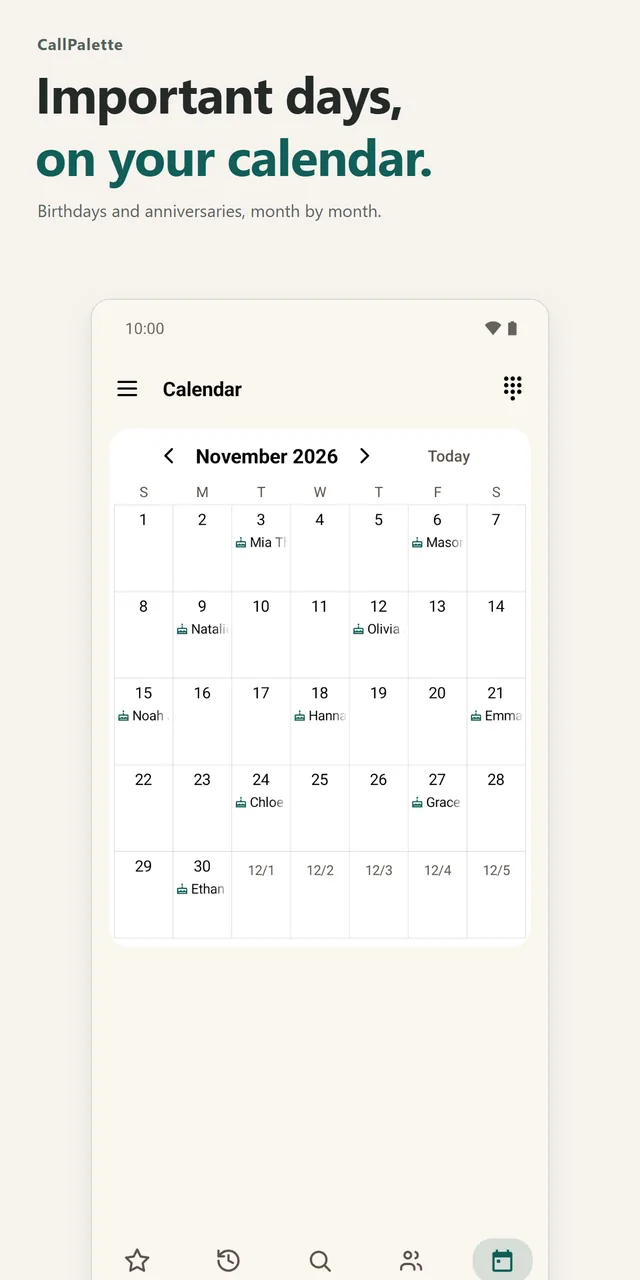
Add birthdays and anniversaries and see them on a monthly calendar. Turn on reminders in Settings and you get one the day before and on the day; a cake or confetti appears on the contact's birthday. If you choose, events from your device calendar appear too.
And more
Bulk-add to a group
Open a group, choose Bulk register, check the contacts and save.
Register from a QR code
Scan a QR code from the edit screen's menu to register a contact.
Hold and switch calls
Put a call on hold and switch to another incoming call.
CallPalette needs access to your contacts to show and edit them. Calendar access is optional. See the privacy policy.
Social links and notes, all in one place.
Add social profiles by service and open them from the contact, together with website links. Keep gift ideas, shared interests and questions for next time in a short note.